Adapting the Matrix to Your Review Type
The basic columns can work for most reviews, but you may need to adjust them depending on the type of review you are writing.
Coursework review:Leave out the gap column and add a “why I’m keeping it” column instead. Since the focus is usually a clear discussion, around 10–20 sources may be enough.
Thesis or dissertation chapter:Add columns for the theory or framework and the research setting. It is also useful to keep a separate sheet for the sources you screened out and the reasons for leaving them out.
Systematic or scoping review:Add a quality rating and screening decision for each study. You can use tools such as Casp, Mmat, or a suitable risk-of-bias tool. Prisma is used to report the review process, not to score individual studies.
Humanities review:Instead of design and sample, focus on the critical approach used by each author. You may also want to group sources by school of thought or time period rather than research method,
Source Matrix vs. Synthesis Matrix
These two terms, “literature review matrix” and “synthesis matrix”, are mostly considered the same, but some guides explain a clear distinction between their layouts.
A Source matrixIs organized by sources, where each row describes a different source, and columns are arranged for details. For this, the same template that is mentioned above is used.
A Synthesis matrixIs based on themes. Each source is written in rows and your themes in columns; each column will explain what the source says about that specific theme. For example,
Source | Theme 1: Productivity outcomes | Theme 2: Influencing factors | Theme 3: Research limitations |
Study A (2021) | — | Dedicated workspace matters | Relies on self-report |
Study B (2023) | Early dip, then gains | — | Shows short studies miss long-term effects |
Most researchers or writers start their work with a source matrix and establish their themes, and then switch to a synthesis matrix once each theme is clear. It helps them to understand source studies more. They will know where the sources agree, disagree, or which cell (theme) is empty; that can help identify areas for further research.
How to Build Your Matrix
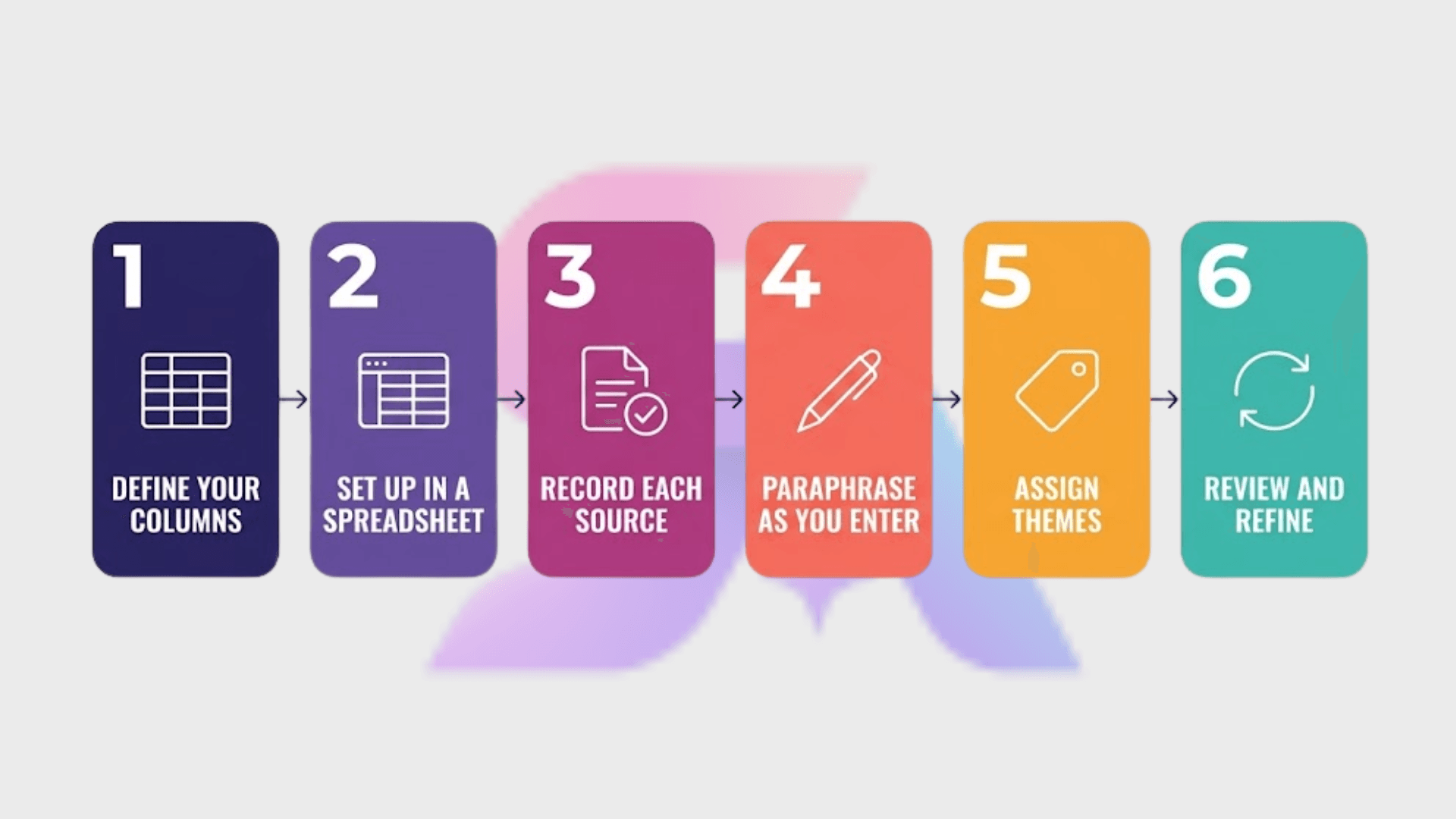
Building a literature review matrix is easier when you follow a simple process. You do not need to make it complicated.
Choose your columns before you start reading.
Start by choosing the columns you want. You can use the standard columns from a literature review matrix template or change them to match your subject and research needs.
It is better to use a spreadsheet, as it lets you sort and filter your sources, which becomes very helpful when your literature matrix starts getting larger. You can also use an Excel literature review template if you want a ready-made structure. Plus, a table in Word or Google Docs also works well but for a shorter ten-source class paper because you cannot filter it and it becomes unwieldy quickly.
If you already keep your PDFs in Zotero or Mendeley, let the reference manager own the citations and export them into your citation column. That keeps your reference list and your matrix consistent.
Fill in each row right after you finish a source.
Do not wait until you have read all your sources before filling in the matrix. If you wait too long, you may forget important details and have to go back and read the same sources again.
Write findings and conclusions in your own words.
Write the findings and conclusions in your own words instead of copying sentences from the source. This helps reduce the risk of accidental plagiarism, especially if you later use the same wording in your paper without quotation marks. More importantly, it helps you understand the sources more.
For example
Copied “Results suggest that participation in the mentoring program may be associated with improved retention outcomes, although effects varied considerably across sites.”
Paraphrased: “Mentoring linked to better retention, but results differed a lot by site.”
The second version is shorter, scannable, and already close to a sentence you could use in your review.
Group your sources into themes
After you have added around ten to fifteen sources, you can add the theme column and start grouping your sources. Go back to your earlier entries and give them appropriate theme tags. This step will clarify many things for you, for example
Which studies make similar arguments or report similar results
Where papers directly contradict each other
Which topics have plenty of research and which have only one or two papers
The themes may differ according to your field of study. For example, for a review of AI writing tools, the themes may include the studies with better writing quality, studies that argue that results depend on what the tool is and how it is introduced, or the studies with no measurable effect. Once you have established these clusters, it will help you organize your literature review outline.
Try color coding. You can assign each theme a highlight color. In this way, you can see in which argument or theme the most work is done and where the single contradicting study sits.
Keep updating.
Do not worry if your themes change later. As you read more research, you may notice new patterns or decide that some sources fit better under a different theme. It is much easier to update a lit review matrix than to rewrite an entire section.